
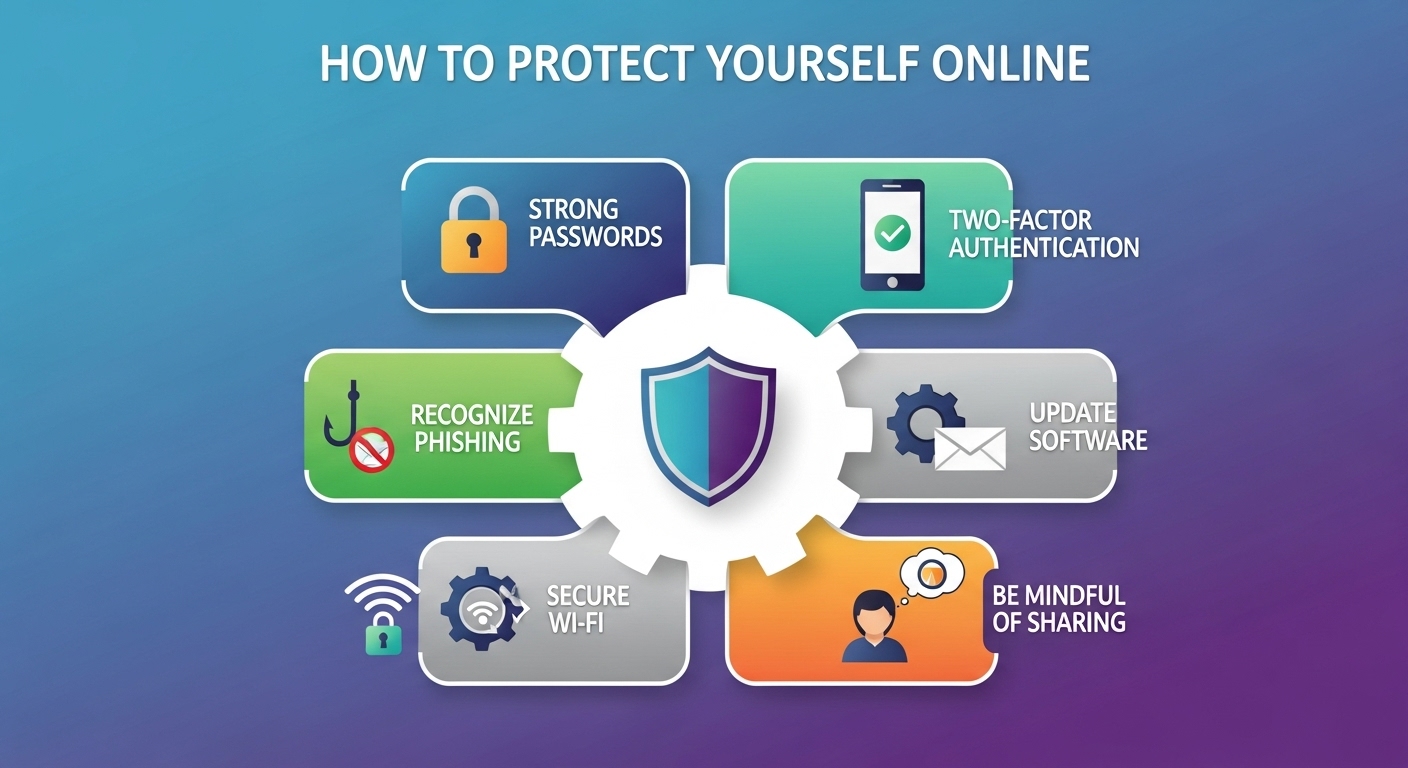
The internet has become an essential part of modern life. From social media and online shopping to banking and remote work, nearly every activity is connected in some way to the digital world. While the internet offers incredible opportunities and convenience, it also comes with significant risks. Cybercriminals, identity thieves, and scammers constantly seek ways to exploit unsuspecting users. Protecting yourself online is no longer optional; it is a necessity.
Online safety requires awareness, proactive habits, and the use of the right tools. Many people assume that cyber threats only happen to large organizations or tech-savvy individuals, but the reality is that anyone who uses the internet is a potential target. The good news is that by learning how to recognize dangers and taking preventative measures, you can greatly reduce your chances of becoming a victim.
This blog will explore in depth how to protect yourself online, covering everything from password security and safe browsing to privacy, social media habits, and avoiding scams.
The Importance of Online Safety
Before diving into the steps to protect yourself, it is important to understand why online safety matters. Every time you connect to the internet, you leave behind digital traces. These traces can include your browsing habits, personal information, financial data, and even your location. Cybercriminals exploit these traces to commit identity theft, financial fraud, phishing scams, and more.
The consequences of poor online security can be devastating. Victims of cybercrime often face financial losses, damaged reputations, and long-term stress. Beyond personal harm, unsafe habits can also impact family members, employers, and communities. By practicing online safety, you are not only protecting yourself but also contributing to a safer digital environment for everyone.
Password Security
Strong passwords are the first line of defense against cyberattacks. Many breaches occur simply because people use weak, predictable passwords such as “123456” or “password.” To protect yourself, always create unique and complex passwords. A strong password typically includes a mix of uppercase and lowercase letters, numbers, and special characters.
It is also critical not to reuse passwords across multiple accounts. If a hacker gains access to one account, they can easily access others if the same password is used. A practical solution is to use a password manager. Password managers generate and store secure passwords so you do not have to remember them all.
Changing your passwords regularly and enabling password protection on all devices further strengthens your defense. Remember that your password is like the key to your digital life; keeping it strong and secure is non-negotiable.
Two-Factor Authentication
Two-factor authentication, often called 2FA, adds an extra layer of protection beyond your password. With 2FA, even if someone steals your password, they cannot access your account without the second factor, usually a temporary code sent to your phone or generated by an authentication app.
Whenever possible, enable 2FA on your email, social media, and banking accounts. It may take a few extra seconds to log in, but it significantly reduces the risk of unauthorized access.
Safe Browsing Practices
The websites you visit can expose you to risks. Malicious websites often disguise themselves as legitimate ones to trick users into sharing sensitive information. Always check that a website is secure before entering personal details. Secure websites typically show a padlock icon in the browser address bar and begin with “https.”
Avoid clicking on suspicious links in emails, pop-up ads, or social media messages. Cybercriminals use phishing tactics to lure users into fake sites designed to steal information. When in doubt, type the web address directly into the browser rather than clicking on a link.
It is also wise to keep your web browser updated. Browser updates often include security patches that protect you from newly discovered threats.
Protecting Personal Information
One of the easiest ways for cybercriminals to exploit users is through oversharing personal information online. Be cautious about the details you post on social media. Information such as your birthday, address, or phone number can be used by criminals to guess passwords or commit identity theft.
Always think carefully before sharing personal information, whether on social media platforms, public forums, or online forms. Ask yourself if the information is necessary and who might have access to it. Limiting the amount of data you share reduces your risk.
Securing Your Devices
Your devices—computers, smartphones, and tablets—are gateways to your online activities. Protecting them is essential. Start by installing reliable antivirus and anti-malware software. These programs help detect and block harmful software before it can damage your device or steal information.
Keep your operating system and apps up to date. Developers regularly release updates to fix security vulnerabilities. Failing to update leaves your devices exposed to known risks.
Lock your devices with strong passwords, PINs, or biometric authentication such as fingerprints or facial recognition. This prevents unauthorized access if your device is lost or stolen.
The Role of Firewalls
A firewall acts as a barrier between your device and the internet, monitoring incoming and outgoing traffic. It helps block unauthorized access to your system. Most operating systems include built-in firewalls, but you must ensure they are enabled. In some cases, adding a hardware firewall through your router provides an additional layer of protection.
Safe Use of Public Wi-Fi
Public Wi-Fi networks in places like cafés, airports, and hotels are convenient but risky. Cybercriminals often target these networks because they are less secure. When using public Wi-Fi, avoid accessing sensitive accounts such as online banking.
If you must use public Wi-Fi, consider using a virtual private network, or VPN. A VPN encrypts your internet connection, making it much harder for hackers to intercept your data. Even without a VPN, turning off file sharing and ensuring you only connect to trusted networks helps reduce risks.
Recognizing and Avoiding Scams
Scams come in many forms, including phishing emails, fraudulent phone calls, and fake investment schemes. Learning to recognize scams is one of the best ways to protect yourself online. Warning signs often include urgent messages, promises of easy money, or requests for personal information.
Be skeptical of unsolicited messages, especially if they come from unknown senders. Never click on suspicious links or download unexpected attachments. If something seems too good to be true, it usually is.
Protecting Financial Information
Online banking and shopping are convenient, but they require careful security measures. Always use secure payment platforms and avoid saving your card details on websites. Monitor your bank accounts regularly for suspicious activity and report anything unusual immediately.
When shopping online, only use trusted retailers. Look for secure payment gateways and avoid websites that ask for unnecessary personal information. By being selective about where you share your financial details, you reduce the chances of fraud.
Social Media Safety
Social media platforms are popular targets for cybercriminals because they contain large amounts of personal information. Adjust your privacy settings to limit who can see your posts and personal details. Avoid accepting friend requests or messages from strangers.
Be mindful of what you share. Even something as simple as announcing travel plans can put you at risk of burglary. Cybercriminals often gather small pieces of information from different posts to build a complete profile of their targets.
Online Reputation Management
Everything you post online contributes to your digital footprint. Employers, schools, and organizations often search for online profiles as part of their evaluation processes. Inappropriate or careless posts can harm your reputation long after they are forgotten.
To protect yourself, regularly review your online presence. Remove outdated or unprofessional content, and think carefully about the long-term impact of what you share. A positive digital footprint not only protects you from risks but can also benefit you professionally.
Teaching Children About Online Safety
Protecting yourself online also means protecting those around you, especially children. Kids and teenagers are often more vulnerable to online threats because they may not fully understand the risks. Teaching children about safe browsing, the importance of privacy, and how to recognize scams is essential.
Parental controls and monitoring tools can help guide children’s online activities while still allowing them the freedom to learn and explore. Open communication about online safety creates a foundation of trust and awareness that protects young users.
Protecting Against Identity Theft
Identity theft is one of the most damaging forms of cybercrime. Criminals use stolen personal information to open bank accounts, apply for credit cards, or commit fraud in someone else’s name. To protect against identity theft, monitor your credit reports regularly and watch for signs of suspicious activity.
Shred physical documents that contain sensitive information before throwing them away. Be cautious when providing personal details online, and never share sensitive information such as your social security number unless absolutely necessary.
Staying Updated on Cybersecurity Trends
Cyber threats evolve constantly. Hackers develop new techniques as soon as old ones become less effective. Staying informed about the latest cybersecurity trends and threats helps you remain prepared. Reading trusted sources, attending workshops, or following updates from cybersecurity experts ensures you stay one step ahead.
Balancing Convenience and Security
One of the challenges of online safety is balancing convenience with protection. Many users choose weaker passwords or skip updates because they seem inconvenient. However, these shortcuts often lead to greater risks. The key is to build habits that become second nature, such as using password managers, enabling two-factor authentication, and regularly updating devices.
Security should never feel like a burden but rather a routine part of using the internet responsibly. Over time, these practices will feel as natural as locking the door when you leave your home.
The Role of Responsibility in Online Safety
Protecting yourself online is not only about tools and technology but also about mindset and responsibility. Every user has a role in creating a safer digital environment. By practicing good habits, you set an example for others and reduce the chances of spreading risks such as malware or scams.
Responsibility also means reporting suspicious activity when you encounter it. Alerting authorities, companies, or platforms about scams or breaches helps protect the wider community.
Conclusion
The internet is a powerful tool that has transformed the way people live, work, and connect. Yet with its benefits come risks that cannot be ignored. Protecting yourself online requires awareness, discipline, and the use of proper security measures. From creating strong passwords and enabling two-factor authentication to practicing safe browsing, securing devices, and being mindful of personal information, every step contributes to building a safer digital life.
The future will only make online protection more important as technology becomes more integrated into daily routines. By taking responsibility and adopting proactive habits, you can enjoy the benefits of the internet while minimizing the risks. Online safety is not a one-time effort but an ongoing practice that ensures you remain secure in an increasingly connected world.